
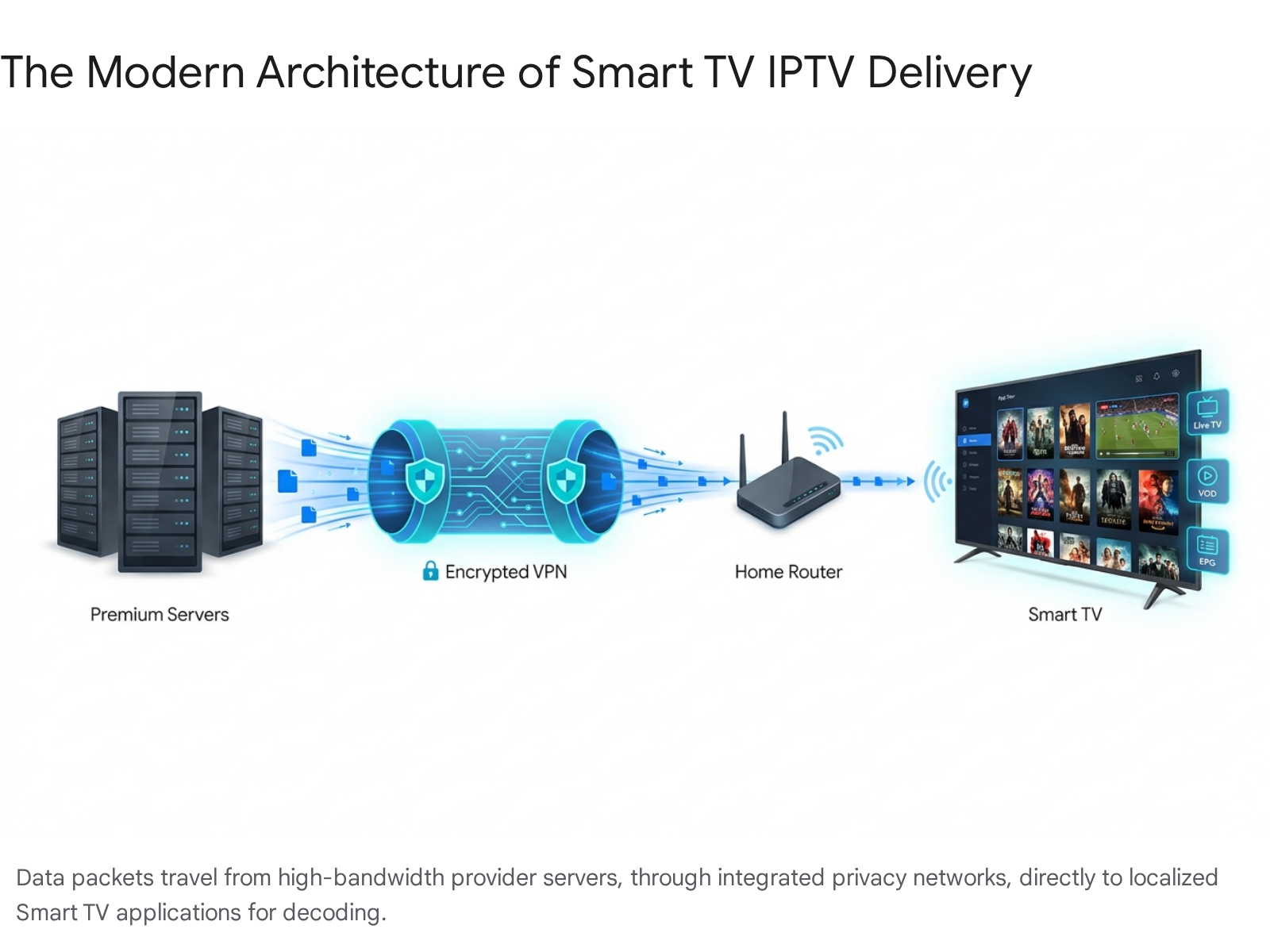
Choosing the right IPTV app for your Smart TV is one of the most important steps for getting a smooth and enjoyable streaming experience. Many people think that simply downloading an IPTV app gives them access to premium channels, movies, and sports. In reality, the app itself is only a media player. It does not provide the content.
An IPTV app works by reading the playlist, Xtream Codes login, or M3U link provided by your IPTV subscription service. The quality of your experience depends on both the app you use and the provider behind it.
A good IPTV player helps you organise live channels, load the electronic programme guide, manage catch-up TV, and enjoy smoother playback with fewer interruptions.
There are many IPTV apps available for Smart TVs, Android TV boxes, Firestick devices, Samsung TVs, LG TVs, and Google TV devices. However, some apps perform better than others when it comes to speed, layout, stability, and compatibility.
Below are some of the most popular IPTV apps for Smart TV users in the UK.
TiviMate is one of the best IPTV apps for Android TV, Google TV, and Firestick devices.
It is known for its fast channel switching, clean interface, strong EPG support, and premium cable-style layout. For users who want a professional IPTV experience that feels close to traditional TV, TiviMate is one of the strongest options.
Users who want a premium IPTV interface with fast navigation and a polished TV guide experience.
IPTV Smarters Pro is one of the most widely used IPTV apps in the UK. It works across multiple devices, including Samsung Smart TVs, LG TVs, Android devices, Apple devices, and Firestick.
It supports Xtream Codes API login, which makes setup simple. Users can access live TV, movies, series, catch-up, and parental controls depending on their IPTV provider.
Families and users who want a simple app that works across different devices and Smart TV brands.
Smart IPTV, also known as SIPTV, is a lightweight IPTV app that is commonly used on older Samsung and LG Smart TVs.
Instead of typing long login details with a remote control, users can upload their playlist through the Smart IPTV website using the TV’s MAC address. This makes it useful for older TVs that may struggle with heavier apps.
Users with older Smart TVs who need a simple and lightweight IPTV player.
Channelica is another IPTV player designed for Smart TV users who want a simple interface and good support for high-quality streams.
It is built for users who care about smooth 4K streaming, easy playlist management, and minimal buffering.
Viewers who prioritise sports, movies, and high-resolution streaming without complicated menus.
Not every IPTV app requires a paid subscription. Some legal free IPTV apps in the UK offer ad-supported channels and officially licensed content.
Examples include:
Pluto TV offers free live TV channels, movies, documentaries, reality shows, and entertainment channels supported by ads.
Plex Live TV provides free streaming channels and can also organise personal media libraries.
Samsung TV Plus is available on many Samsung Smart TVs and provides free live channels directly through the TV interface.
These platforms are useful for free entertainment, but they usually do not include premium sports, pay-per-view events, the latest cinema releases, or full premium TV packages.
The setup process depends on the operating system of your Smart TV. Samsung TVs, LG TVs, Android TVs, and Firestick devices all have slightly different installation methods.
Below is a simple guide for the most common TV brands and devices used in the UK.
Samsung Smart TVs use the Tizen operating system. Most users can install IPTV apps directly from the Samsung Smart Hub.
Press the Home button on your Samsung remote and go to the Apps section.
Use the search bar to look for apps such as:
Select the app and install it on your TV.
Open the app and choose the login method provided by your IPTV service. Most providers use Xtream Codes API login, which requires:
Enter the details exactly as provided by your IPTV provider.
In some cases, certain IPTV apps may not appear in the Samsung Smart Hub because of regional restrictions or app store limitations.
When this happens, some users install compatible apps manually using a USB flash drive. This usually involves downloading the correct Tizen widget file from the official app developer, placing it on a USB drive, and connecting it to the TV.
However, this method depends on your TV model and the app you are trying to install. For most users, choosing an available app from the Samsung App Store is the easiest and safest option.
LG Smart TVs use the webOS platform. Installing IPTV apps on LG is usually straightforward through the LG Content Store.
From your LG TV home dashboard, open the LG Content Store.
Search for:
Install the app and launch it from your LG TV menu.
If the app supports Xtream Codes API, enter your username, password, and server URL.
If you are using Smart IPTV, the app may show a MAC address. You will need to visit the Smart IPTV website from your phone or computer, enter the MAC address, and upload your M3U playlist link.
After saving the details, restart the app on your TV and your channel list should load.
Android TV and Google TV devices offer one of the easiest IPTV setup experiences. This includes many Sony TVs, Philips TVs, Nvidia Shield, Chromecast with Google TV, and Android TV boxes.
Go to the Google Play Store from your Android TV home screen.
Search for apps such as:
Choose your preferred app and install it.
Most IPTV providers give login details using Xtream Codes API. Inside the app, select Add Playlist or Login with Xtream Codes, then enter your details.
The app will then download your live channels, movies, series, and TV guide.
The IPTV app is only the player. The subscription provider is what controls the quality, stability, channel selection, movies, series, and sports performance.
This is why choosing the right IPTV subscription is just as important as choosing the right app.
A good IPTV provider should offer:
Cineva IPTV UK is designed for UK viewers who want a complete IPTV experience across live TV, sports, movies, series, and international content.
It is built for users who want a simple setup, smooth performance, and access to a wide entertainment library from one subscription.
One of the main reasons people switch to IPTV is to reduce the need for multiple streaming subscriptions.
Cineva IPTV UK provides access to thousands of live channels, covering entertainment, news, documentaries, sports, international channels, and regional content.
In addition to live TV, users can also access a large video-on-demand library with movies, series, and box sets.
This makes it easier to manage entertainment from one app instead of switching between several different platforms.
Live sports are one of the biggest tests for any IPTV provider. During major events such as Premier League matches, Champions League games, UFC events, boxing nights, and cup finals, weak servers often suffer from buffering, freezing, or complete stream failure.
A strong IPTV service should be able to handle peak-time traffic and deliver stable streams during high-demand events.
Cineva IPTV UK is built with performance-focused infrastructure to support smoother playback during sports events, including HD, Full HD, and 4K streams where available.
Many UK users worry about ISP throttling, privacy, and streaming interruptions. Some internet providers may slow down high-bandwidth traffic, especially during peak evening hours or major sporting events.
Traditionally, users would need to purchase a separate VPN service to protect their connection and reduce throttling issues.
Cineva IPTV UK includes built-in privacy protection designed to help users enjoy a smoother and more private streaming experience without needing complicated technical setup.
A good IPTV service should feel easy to use. The electronic programme guide, also known as EPG, helps users browse channels, view schedules, and navigate live TV more easily.
Cineva IPTV UK includes EPG support to make the experience feel closer to traditional cable or satellite TV.
Catch-up TV is also useful for users who miss live programmes. With catch-up support, viewers can go back and watch selected channels or programmes after they have already aired.
Even with a good IPTV subscription and a strong IPTV app, your home internet setup can still affect streaming quality.
Buffering is often caused by weak Wi-Fi, poor router placement, low internet speed, overloaded devices, or unstable connections.
Here are the most important steps to improve IPTV performance on Smart TV.
For HD streaming, a stable connection of around 10 Mbps is usually recommended.
For 4K streaming, a stronger connection of at least 25 Mbps is recommended.
However, stability matters more than speed alone. A fast connection that drops every few seconds can still cause buffering.
Wi-Fi can be affected by walls, distance, other devices, and signal interference.
For the best IPTV experience, connect your Smart TV, Firestick, Android TV box, or streaming device directly to your router using an Ethernet cable.
A wired connection usually gives better stability, lower latency, and fewer interruptions.
Routers can slow down over time, especially if many devices are connected.
Restarting your router can help refresh the connection and improve streaming stability.
If your Smart TV or streaming device is running too many apps in the background, it may slow down IPTV performance.
Close unused apps and restart your IPTV player if channels begin to freeze or load slowly.
Some IPTV apps perform better than others depending on your device.
For Android TV and Firestick, TiviMate is often one of the smoothest options.
For Samsung and LG TVs, IPTV Smarters Pro, Smart IPTV, IBO Player, or SET IPTV may be better depending on availability.
IPTV has changed the way UK viewers watch live TV, movies, series, and sports. With the right IPTV app and the right subscription provider, a Smart TV can become a complete home entertainment hub.
The most important thing to remember is that the app is only the player. The real quality comes from the IPTV provider behind it.
For the best experience, choose a reliable IPTV subscription, use a compatible app, connect your device with Ethernet where possible, and make sure your home internet connection is stable.
By combining a strong IPTV player, a trusted IPTV provider, and a properly optimised home network, UK viewers can enjoy a smoother, cleaner, and more flexible streaming experience in 2026.